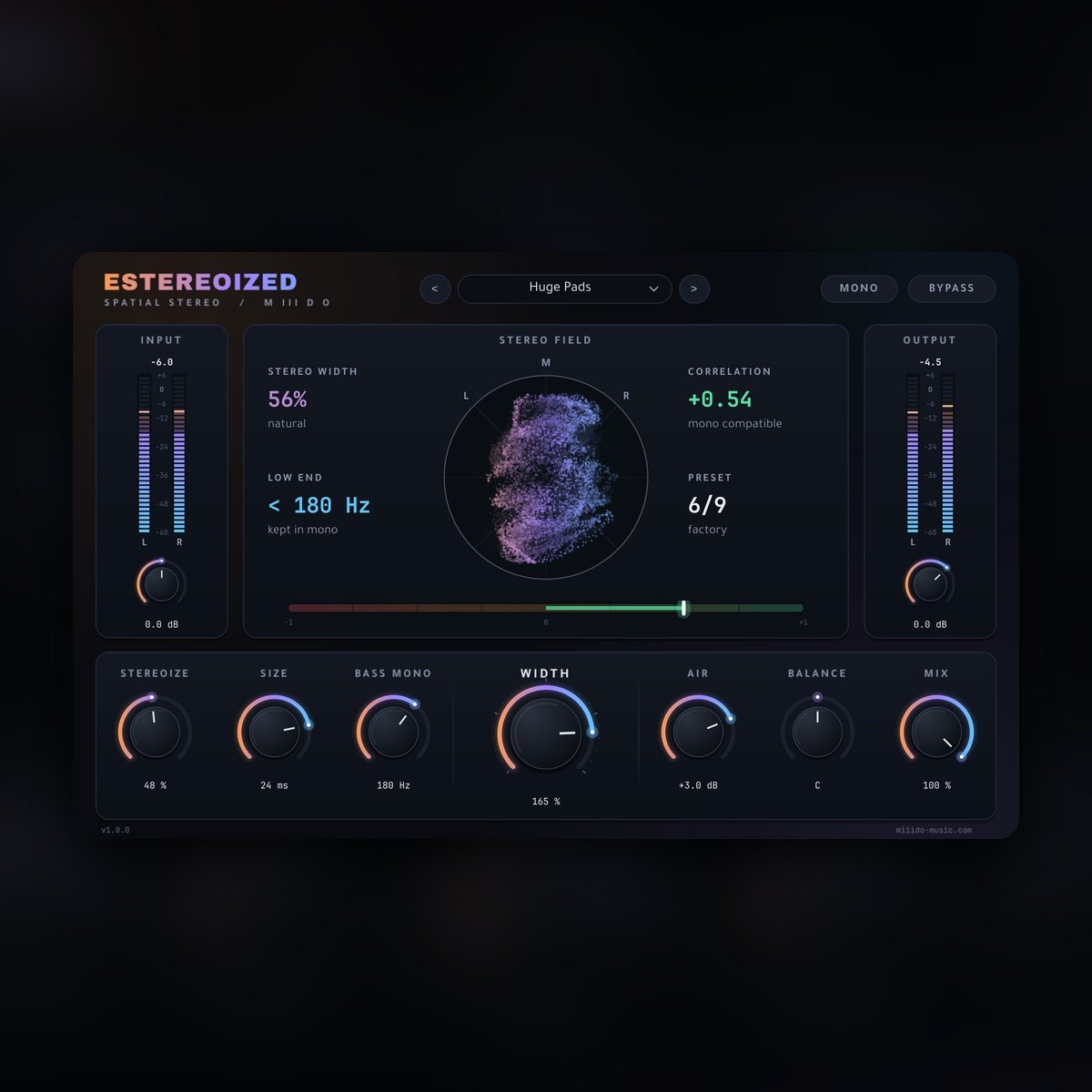
ESTEREOIZED plug-in interface with a vectorscope, correlation meter and large width knob Free
Plugins  /  Free stereo widener · VST3 / CLAP

EStereoized

Free mono-safe stereo widener for Windows. Widen, focus and build stereo while the mono sum of your track stays exactly the same. Zero latency, VST3 and CLAP.

FreeVST3 + CLAPWindows 10/11 64-bitZero latencyMono-safe9 presets

Free with a free account — it downloads the moment you are in. Already have one? Sign in

Download for
No activation, no licence keyInstant downloadNo card needed
Overview

ESTEREOIZED widens, focuses and builds stereo without breaking your mix in mono. Everything it adds or removes happens in the side signal, so the mono sum of your track stays exactly the same — your kick, bass and vocal stay where you put them. Zero latency and very light on the CPU, so it can sit on every bus.

At a glance

Contents
VST3 + CLAP · 9 presets · zero latency
Format
VST3 / CLAP
Size
3.1 MB (.zip)
Type
Plugin · Effect
Works on
Windows 64-bit
Version
1.0.0
Requirements
Windows 10 or 11, 64-bit · any DAW that loads VST3 or CLAP
In detail
01

What it does

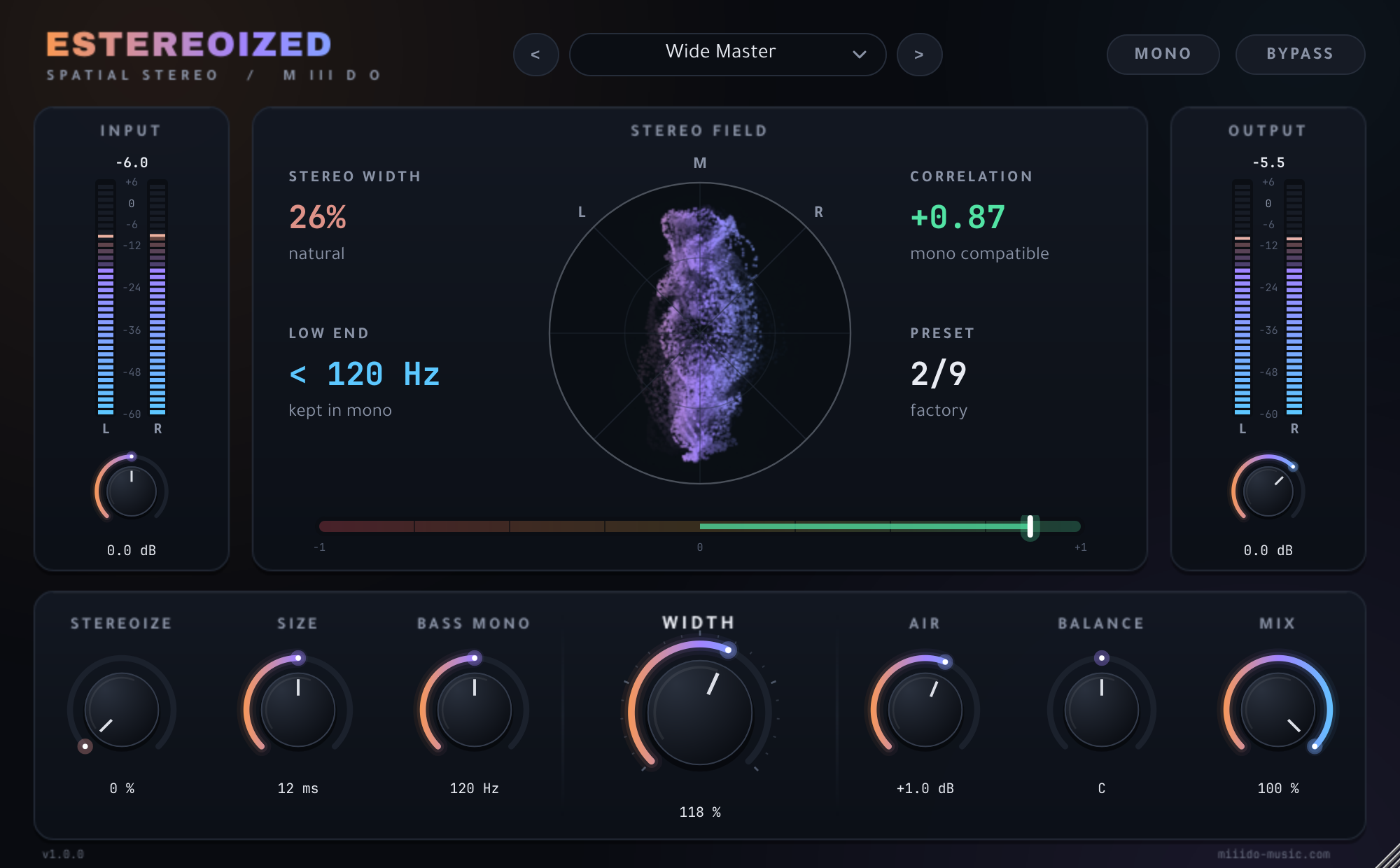
  • Width (0–200 %): from mono at 0 %, through untouched at 100 %, to twice the side signal at 200 %.
  • Stereoize: turns a mono synth, guitar or vocal into a wide stereo part. The mono sum does not change.
  • Size (2–35 ms): the space of the stereo effect, from tight to large.
  • Bass Mono (up to 400 Hz): keeps everything below the chosen frequency in mono with a steep 24 dB/oct filter, so sub and kick stay solid on any system.
  • Air: widens or narrows only the top end, from 6 kHz up.
  • Balance, Mix, Input and Output, plus a Mono button to check your mix in one click.
02

See your stereo image

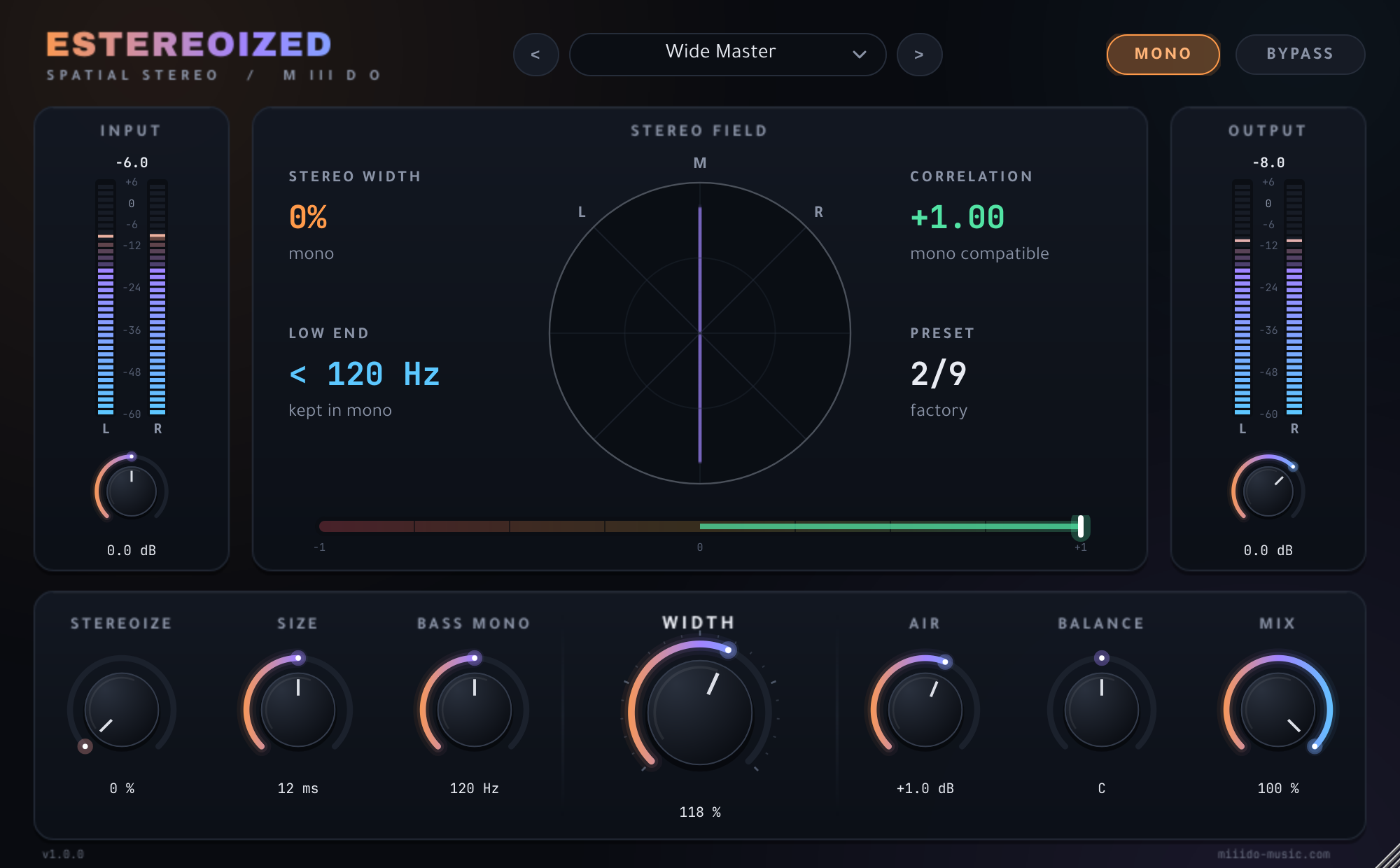
  • A live vectorscope shows the stereo field: a vertical line is mono, a round cloud is wide.
  • A correlation meter from +1 to -1 shows phase problems before your listeners hear them.
  • A stereo width readout, and input and output meters with peak and RMS.
ESTEREOIZED with Mono pressed: a vertical line on the vectorscope, 0% width and +1.00 correlation ESTEREOIZED stereo widener, Wide Master preset: vectorscope, 26% width and +0.87 correlation
03

9 presets, each for a real job

  • Init
  • Wide Master
  • Vocal Spread
  • Mono Synth to Stereo
  • Tight Low End
  • Huge Pads
  • Drum Bus Width
  • Narrow Focus
  • Air Lift
04

Made for real sessions

  • Zero latency.
  • Settings are saved with your project and follow the plug-in when you move it to another mixer insert.
  • Click-free bypass and smooth controls.
  • Resizable interface.
  • Double-click a knob to reset it, Shift-drag for fine steps, click a value to type it.
  • Tested with pluginval at its strictest level (10) and with clap-validator.
05

Install

Download the zip from your account, close your DAW and run the Setup file. VST3 is always installed, and you can tick CLAP if your DAW supports it. Then rescan your plugins: EStereoized is listed under M III D O. The installer is not code-signed yet, so Windows may show "Windows protected your PC". Click More info, then Run anyway.

Questions

Asked before.

Is it really free?

Yes. Make a free account and it downloads straight away. No activation inside the plug-in, and nothing is added to your audio.

Can I use it in a song I sell?

Yes — and you keep every penny.

Will it ruin my mix in mono?

No. ESTEREOIZED only changes the side signal, so the mono sum stays identical. Only Balance and the Input/Output gains change it. Press the Mono button to hear it yourself.

Which DAWs does it work in?

Any 64-bit Windows DAW that loads VST3 or CLAP plug-ins, such as FL Studio, Ableton Live, Cubase, Studio One, Reaper and Bitwig.

Is there a Mac version?

Not at the moment. ESTEREOIZED is Windows only.

Why does Windows show a warning when I run the installer?

The installer isn't code-signed yet, so Windows doesn't recognise the publisher. Choose "More info", then "Run anyway". Download it only from miiido-music.com.

EStereoizedFree
Get it free