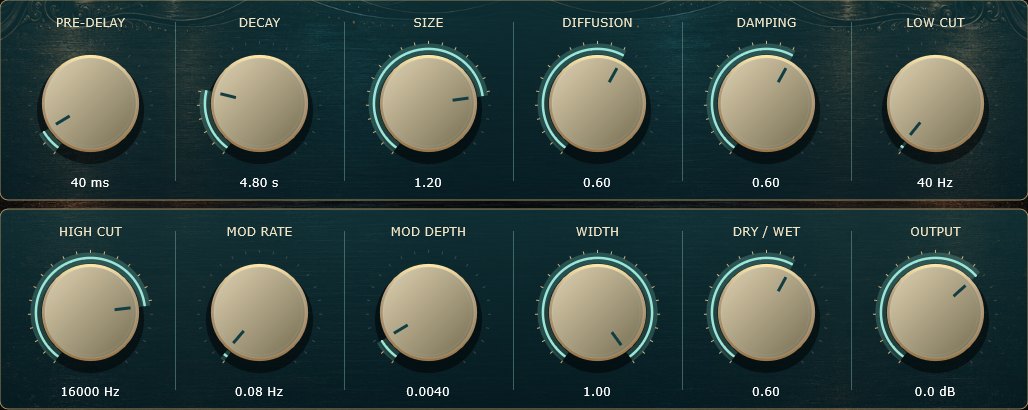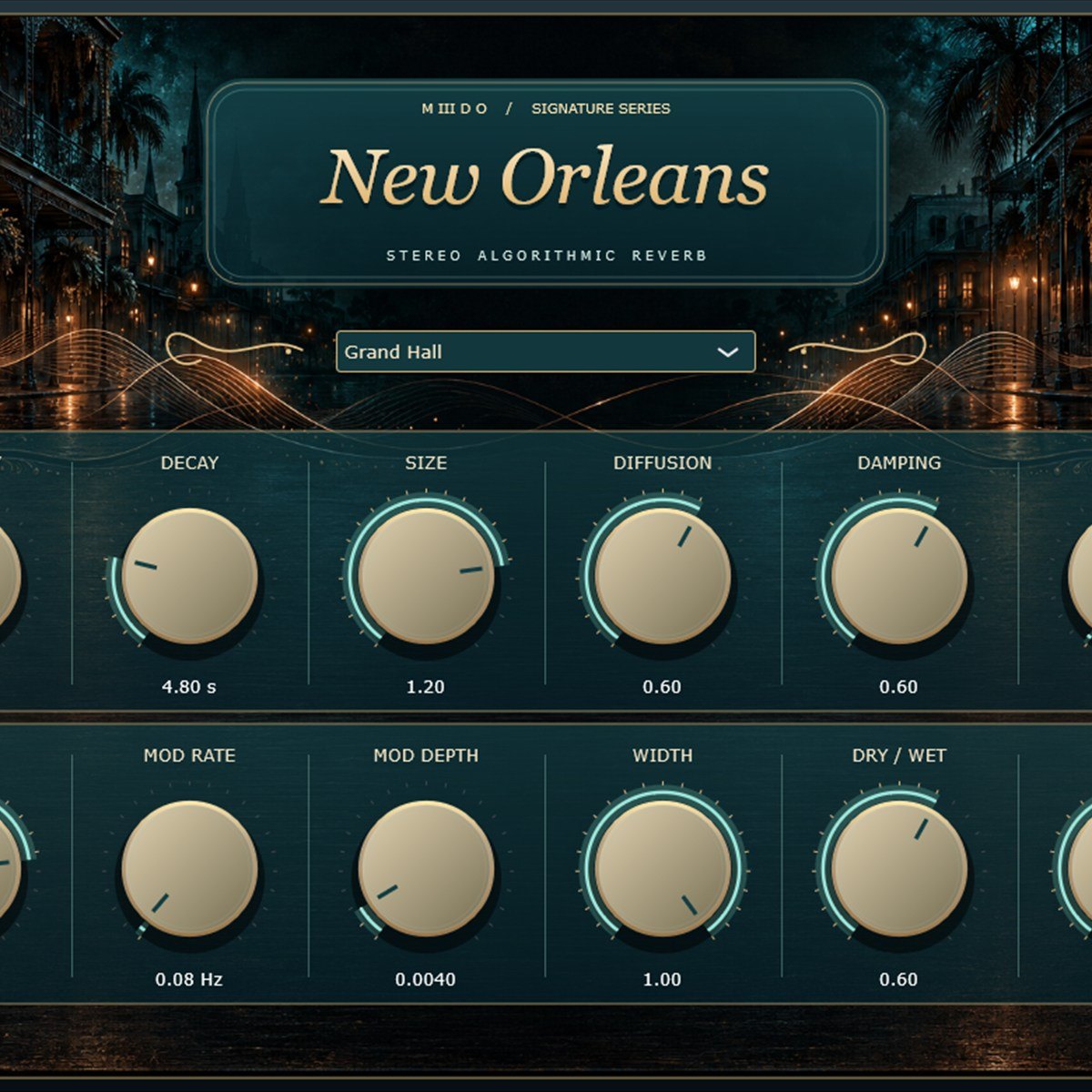
New Orleans free reverb plugin interface with the Grand Hall preset Free
Plugins  /  VST3 · CLAP effect · Windows

New Orleans

A free stereo reverb for Windows, from a small close room to a long, floating tail. Six presets, twelve controls, VST3 and CLAP.

VST3 / CLAPFreePlugin / EffectWindows 64-bit6 presets

Free with a free account — it downloads the moment you are in. Already have one? Sign in

Download for
Preview
No activation, no licence keyInstant downloadNo card needed
Overview

New Orleans is a free stereo reverb for Windows 64-bit. Six presets take you from a tight, close room to a dark cathedral and a slow, floating atmosphere, and twelve controls let you shape every part of the tail. VST3 and CLAP, no activation, and nothing inside the plugin connects to the internet. The installer isn't code-signed yet, so Windows may warn you the first time.

At a glance

Contents
Reverb Plugin / Effect
Format
VST3
Size
36 MB (.zip)
Type
Plugin · Effect
Works on
Windows 64-bit
Version
1.0.0
Requirements
Windows 10 or 11, 64-bit · any DAW that loads VST3 or CLAP
In detail
01

A reverb that stays out of the way

New Orleans is an algorithmic reverb: eight delay lines feed back into each other, with three stages of diffusion in front of them, so the tail builds up smooth and dense. There are no samples and no impulse responses to download, and it adds no latency to your DAW.

Low Cut and High Cut only touch the reverb, never your dry signal, so you can keep the low end of a vocal or a kick clean while the tail sits behind it.
02

Six presets to start from

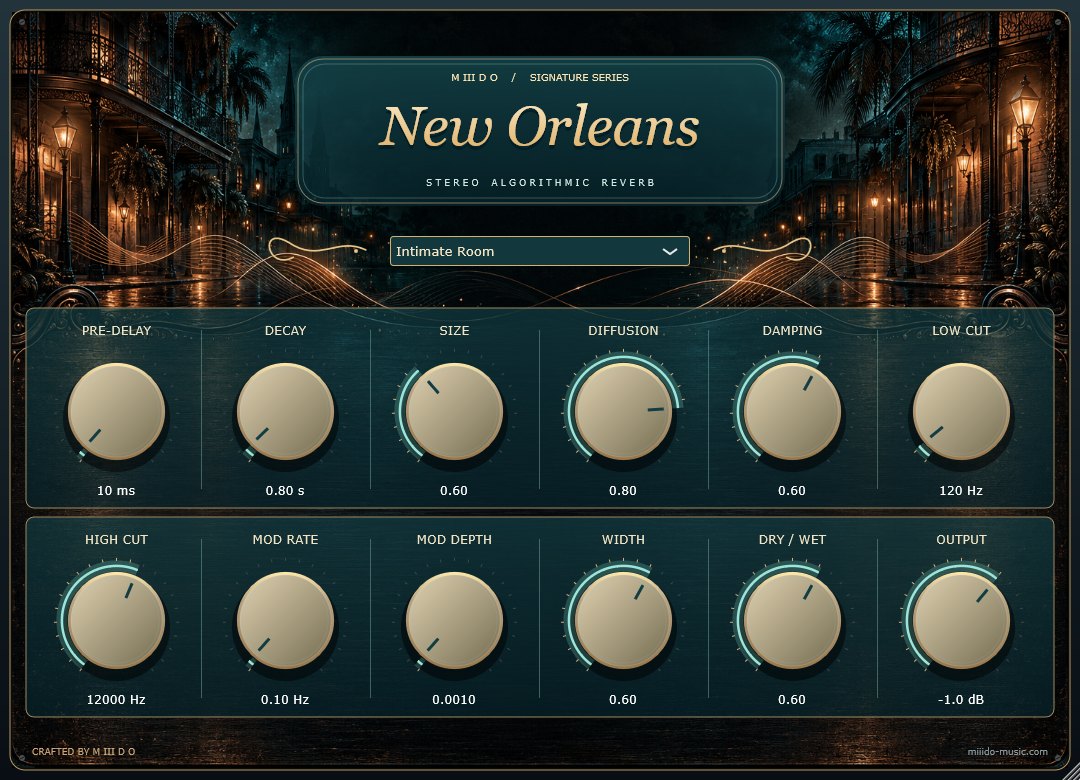
  • Intimate Room: a short, close space (0.8 s). Adds air to a dry vocal or a guitar without pushing it back.
  • Vocal Plate: bright and smooth (2.2 s), a good first stop for lead vocals.
  • Jazz Chamber: a warm, mid-sized room (1.6 s) for keys, horns and live drums.
  • Grand Hall: wide and open (4.8 s) with a 40 ms pre-delay, so the dry sound stays in front.
  • Dark Cathedral: long and dark (8 s). Big transitions, pads, slow melodies.
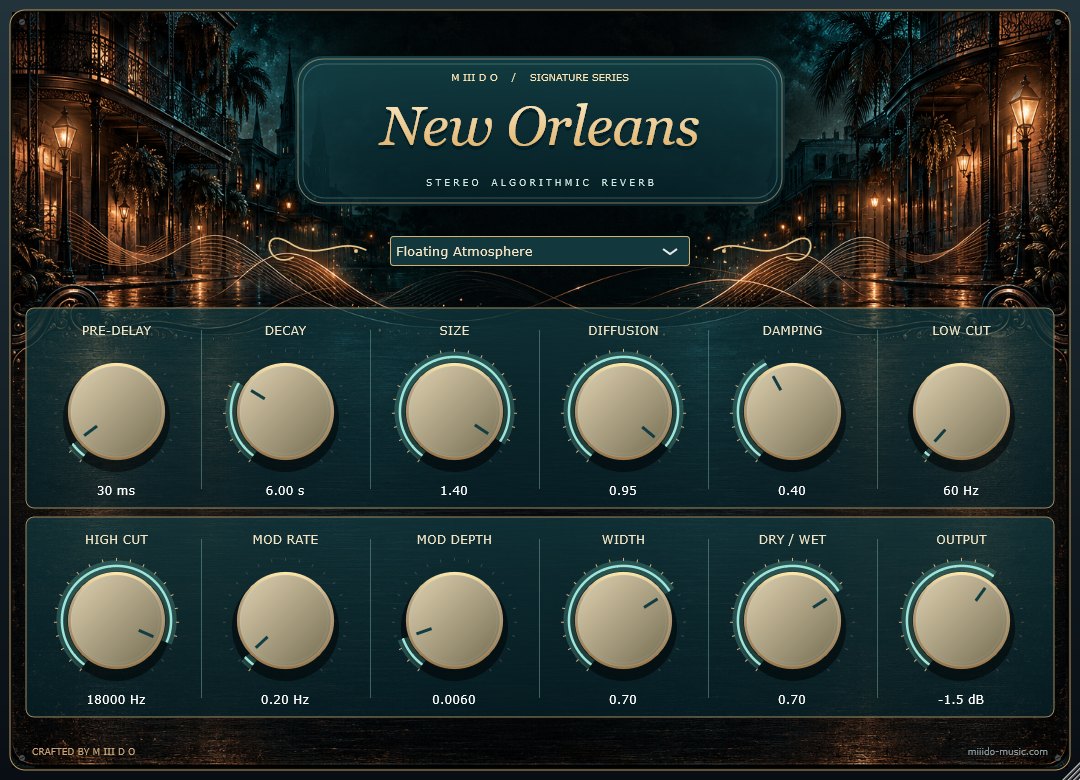
  • Floating Atmosphere: a 6 s tail with more movement and diffusion. Made for pads and ambient textures.
Pick one from the menu under the title, then move any knob to make it yours.
03

Twelve controls

  • Pre-Delay (0–500 ms): the gap before the reverb starts. More pre-delay keeps the dry sound clear.
  • Decay (0.1–20 s): how long the tail lasts.
  • Size: how big the space feels.
  • Diffusion: from separate early reflections to a smooth wash.
  • Damping: how fast the highs fade inside the tail. Higher sounds darker.
  • Low Cut (20–2000 Hz) and High Cut (1–20 kHz): EQ for the reverb only.
  • Mod Rate and Mod Depth: slow movement inside the tail, for a lusher, less static sound.
  • Width: from mono in the centre to fully wide stereo.
  • Dry / Wet and Output (−24 to +12 dB): the blend and the final level.
Every control can be automated, and your settings are saved with your project.
04

Quick start

  • On a send/return bus: set Dry / Wet to 1.00 (fully wet) and use the send level to decide how much reverb each track gets.
  • On a track insert: start around 0.20–0.30 Dry / Wet and blend to taste.
  • Raise Low Cut to stop the tail clouding your bass and kick.
05

Install

Download the zip from your account, close your DAW and run the Setup file. VST3 is always installed, and you can tick CLAP if your DAW supports it. Then rescan your plugins: New Orleans is listed under M III D O. The installer isn't code-signed yet, so Windows may show an unknown-publisher notice. Choose More info, then Run anyway. You can uninstall it any time from Windows Settings, under Installed apps.

06

A look at it

New Orleans reverb plugin, Intimate Room preset New Orleans reverb plugin, Floating Atmosphere preset New Orleans reverb controls close-up
Questions

Asked before.

Is it really free?

Yes. Make a free account, download, done. No activation, no licence key, no trial.

Which DAWs does it work in?

Any Windows 64-bit DAW that loads VST3 or CLAP plugins: FL Studio, Ableton Live, Reaper, Cubase, Studio One, Bitwig and so on.

Is there a Mac version?

Not yet. Windows 10 and 11, 64-bit only.

Does it need impulse responses or extra downloads?

No. New Orleans is an algorithmic reverb, so everything it needs is inside the plugin.

Should I use it on an insert or a send?

Both work. On a send/return bus set Dry / Wet to 1.00. On an insert, blend Dry / Wet to taste.

Why does Windows warn me when I install it?

The installer isn't code-signed yet, so Windows doesn't recognise the publisher. Choose "More info", then "Run anyway".

Does it connect to the internet?

No. The plugin's own code makes no network requests.

New OrleansFree
Get it free