NILE FX free plugin bundle cover: RA GLOW, NILE MOTION and GIZA ECHO Free
Plugins  /  3 effects · VST3 · CLAP · Windows

Nile Fx - Free Bundle

NILE FX is a free bundle of three effects: RA GLOW adds warmth and harmonic colour, NILE MOTION adds chorus movement and width, and GIZA ECHO adds clean, rhythmic repeats. Each one has six controls, eight presets, A/B compare, undo/redo and preset save/load. Windows 10 or later, 64-bit, VST3 and CLAP.

VST3 / CLAPFreePlugin / Effect bundleWindows 64-bit24 presets

Free with a free account — it downloads the moment you are in. Already have one? Sign in

Download for
No activation, no licence keyInstant downloadNo card needed
Overview

NILE FX is a free bundle of three effects for Windows 64-bit: RA GLOW for warmth and harmonic colour, NILE MOTION for chorus movement and width, and GIZA ECHO for clean, rhythmic repeats. Eight presets each, VST3 and CLAP, no activation, and nothing inside the plugins connects to the internet. The installer isn't code-signed yet, so Windows may warn you the first time.

At a glance

Contents
Effect Bundle / 3 Plugins
Format
VST3 / CLAP
Size
53 MB (.zip)
Type
Plugin · Effect
Works on
Windows 64-bit
Version
1.0.1
Requirements
Windows 10 or 11, 64-bit · any DAW that loads VST3 or CLAP
In detail
01

Three effects, one installer

RA GLOW adds warmth and harmonic colour, NILE MOTION adds chorus movement and width, and GIZA ECHO adds clean, rhythmic repeats. Run the Setup and tick the ones you want: all three, or only one.
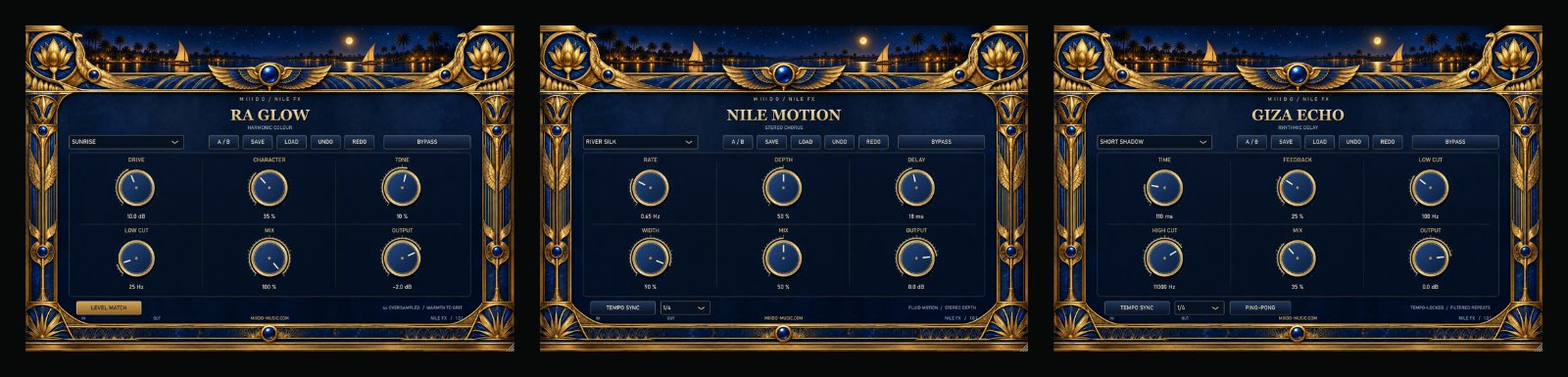
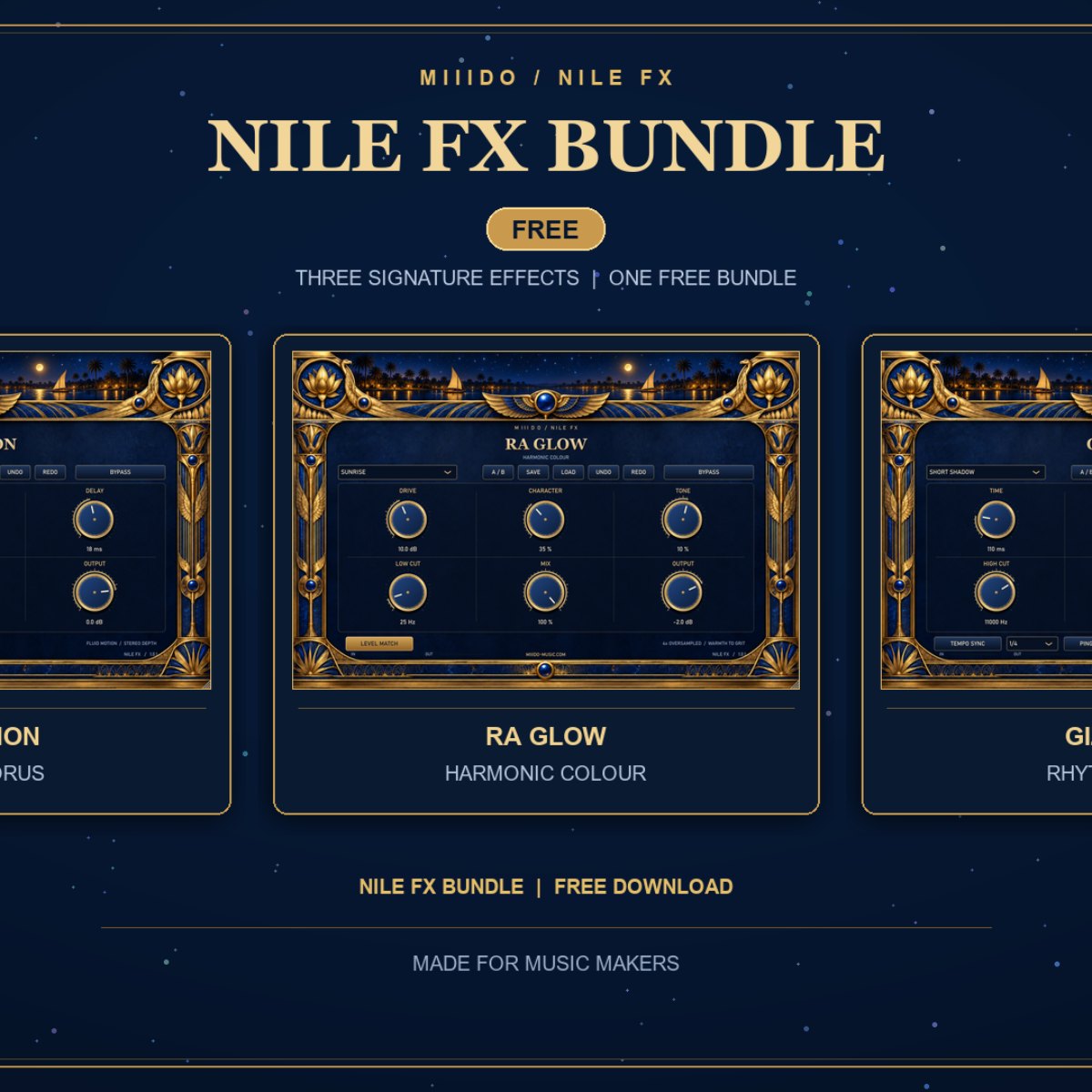
NILE FX free plugin bundle: RA GLOW, NILE MOTION and GIZA ECHO side by side

02

RA GLOW: harmonic saturation

Warmth and harmonic colour, from a soft glow to clear grit. It runs 4x oversampled, and Level Match lowers the output as the drive goes up, so you can judge the colour by ear (it is not automatic loudness matching). Works on vocals, bass, drums and synths.
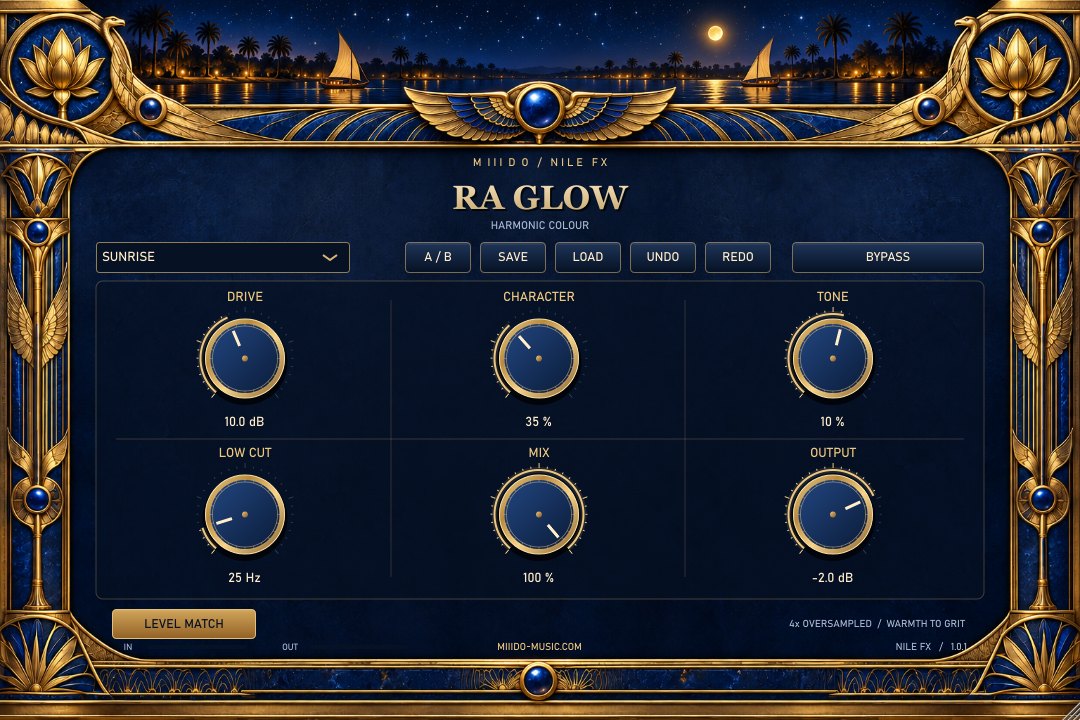
  • Drive (0–24 dB): how hard the sound is pushed.
  • Character: more harmonic density and asymmetry.
  • Tone: tilts the colour towards bass or treble.
  • Low Cut (20–400 Hz): keeps the low end out of the saturation.
  • Mix and Output (−24 to +6 dB): the blend and the final level.

RA GLOW harmonic saturation plugin, Sunrise preset

03

NILE MOTION: stereo chorus

A chorus with two modulation voices, for movement, doubling and width: a light layer under a vocal, or a clear sway on guitars and pads. Turn Width to 0 and it stays mono.
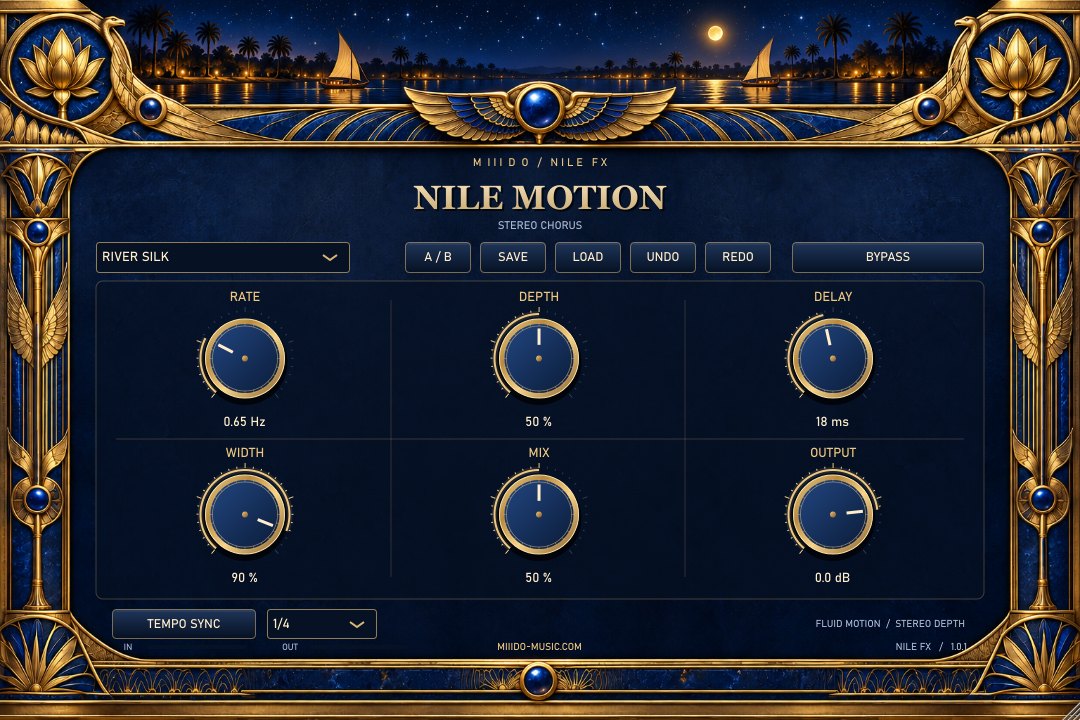
  • Rate (0.05–8 Hz), or Tempo Sync from 1/16 to 1/2: the speed of the movement.
  • Depth: how much it moves.
  • Delay (8–30 ms): the chorus offset.
  • Width: from mono to fully wide.
  • Mix and Output: the blend and the final level.

NILE MOTION stereo chorus plugin, River Silk preset

04

GIZA ECHO: stereo delay

A clear, easy echo. Set the time by ear or lock it to the song, and changing the time crossfades smoothly instead of clicking.
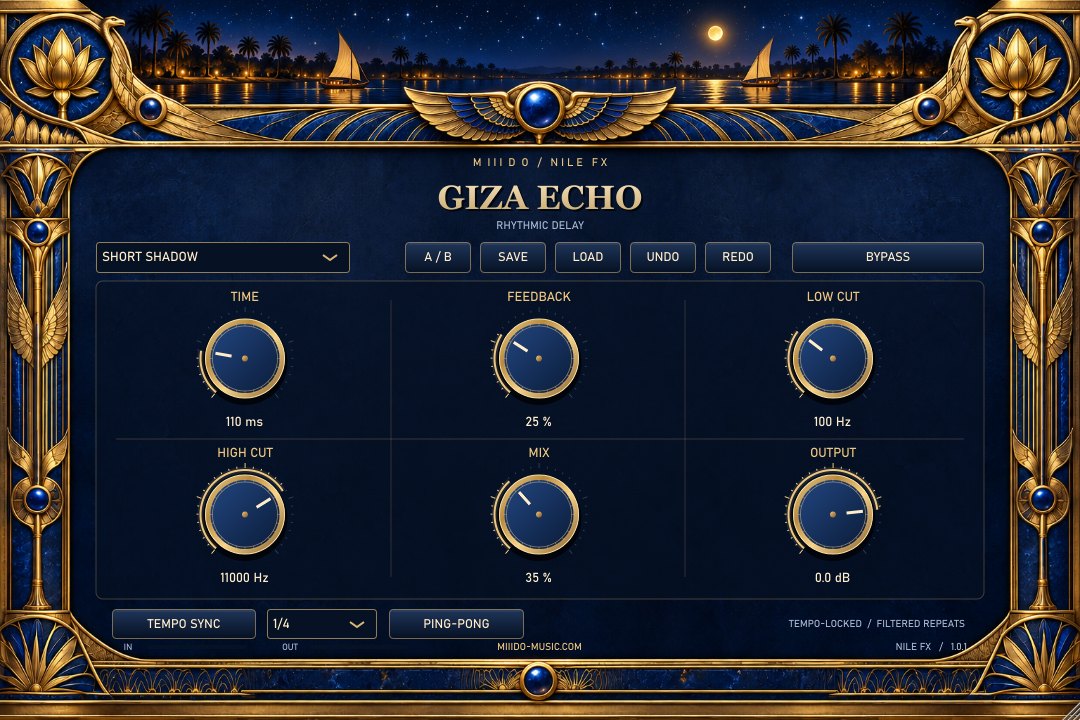
  • Time (20 ms – 2 s), or Tempo Sync: 1/16, 1/8, dotted 1/8, 1/4, dotted 1/4, 1/2.
  • Feedback (0–85%): how many repeats.
  • Low Cut (20–1500 Hz) and High Cut (2–18 kHz): thin or darken the repeats only.
  • Ping-Pong: the repeats alternate left and right.
  • Mix and Output: the blend and the final level.

GIZA ECHO stereo delay plugin, Short Shadow preset

05

24 presets to start from

RA GLOW
  • Sunrise: gentle warmth on anything.
  • Golden Vocal: a brighter colour for vocals, lows left clean.
  • Papyrus: soft and darker, calms bright synths and keys.
  • Bass Gold: dense harmonics for bass and 808s.
  • Desert Grit: the dirtiest one, clear grit and edge.
  • Drum Fire: punch and bite for drums, with some dry signal kept.
  • Silk Air: a light shine on the top.
  • Midnight: dark, thick and heavy.
NILE MOTION
  • River Silk: smooth, wide chorus for anything.
  • Vocal Veil: light doubling under a vocal.
  • Felucca: full width with a clear sway.
  • Blue Guitar: classic chorus on guitar.
  • Lotus Pad: slow and deep, for pads.
  • Ripple: a fast, audible wobble.
  • Mono Charm: movement with no stereo spread, safe in mono.
  • Moon Current: movement locked to the tempo (1/2).
GIZA ECHO
  • Short Shadow: a short slapback that thickens.
  • Vocal Answer: a quarter-note echo that answers the vocal.
  • Nile Bounce: quarter notes bouncing left and right.
  • Dotted Gold: the classic dotted rhythm.
  • Dark Temple: dark, long repeats.
  • Desert Space: wide and bright, a lot of space.
  • Rhythm Steps: tight eighth notes for percussion and plucks.
  • Long Horizon: a long tail that fades into the distance.
06

In all three

  • Eight presets each, plus SAVE and LOAD for your own (.nile files).
  • A/B compare, Undo and Redo.
  • Hold Shift while dragging for fine moves, click a value to type it, double-click to reset.
  • Every setting is saved with your project.
  • Bypass keeps the plugin's latency, so nothing jumps in time when you switch it.
07

Install

Download the zip from your account, close your DAW and run the Setup file. Tick the effects you want. VST3 goes to the standard Common Files folder (keep it there for FL Studio), and CLAP is optional. Then rescan your plugins: the three are listed under M III D O. If you are updating, Setup removes the old version first and keeps your projects and saved presets. The installer isn't code-signed yet, so Windows may show an unknown-publisher notice: choose More info, then Run anyway. You can uninstall it any time from Windows Settings, under Apps.

Questions

Asked before.

Is it really free?

Yes. Make a free account, download, done. No activation, no licence key, no trial.

Do I have to install all three?

No. The Setup lets you tick only the effects you want.

Which DAWs does it work in?

Any Windows 64-bit DAW that loads VST3 or CLAP plugins, such as FL Studio, Ableton Live, Reaper, Cubase, Studio One or Bitwig.

Is there a Mac version?

Not yet. Windows 10 and 11, 64-bit only.

Will updating delete my presets?

No. The Setup removes the previous NILE FX version and keeps your DAW projects and your saved .nile presets.

Why does Windows warn me when I install it?

The installer isn't code-signed yet, so Windows doesn't recognise the publisher. Choose "More info", then "Run anyway".

Does it connect to the internet?

No. The plugins' own code makes no network requests.
Nile Fx - Free BundleFree
Get it free